A story behind a place or product
Turn a topic you are curious about into a sourced, structured explanation.
Build a listening-script promptYour own personal audio library
AI wrote an explainer you want to hear. Paste it into 「自听」MyListen, generate audio on your iPhone or iPad, and keep the episode for later. Your own notes and stories work too.
Download to try; full features unlock inside the App. English and Chinese voice models are included. No MyListen account required.
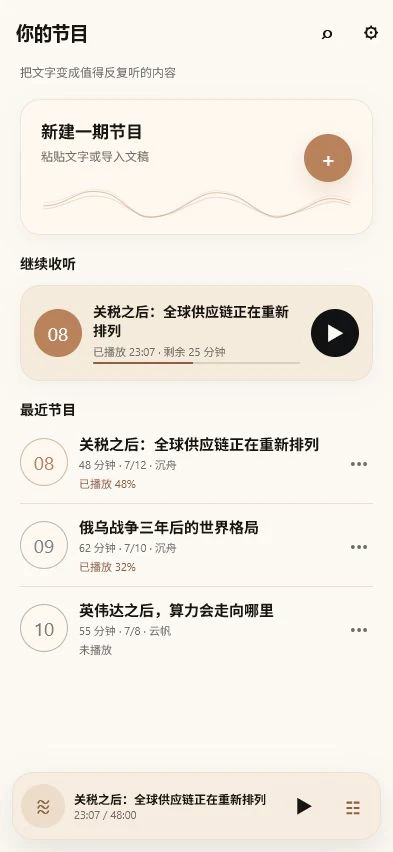
From writing to a saved episode
Something ready to use

Follow a complete example: NASA sources, a listening-friendly explanation, and English or Chinese TXT downloads. The source notes stay outside the narration.
Read and copy the complete scriptAI-assisted text and illustration, with complete English and Chinese native-model audio. The case page explains its generation context; this is not an iPhone test.
Turn a topic you are curious about into a sourced, structured explanation.
Build a listening-script promptPrepare an explanation or question-and-answer review from material you already have.
Explore six types of personal audioUse a short London Underground example with source notes, then adapt the workflow.
Try another finished exampleHear a real English sample
Try the opening of a source-checked story, then hear the complete 6-minute-56-second episode and read its matching script.
Generated October 2, 2026 with the English F1 model and native code archived in MyListen 1.1.5 Build 83, using a Mac mini tool. No cuts or music; MP3 transcoding only. This is a real native-model sample, not an iPhone recording. Complete transcript and generation notes.
Earlier Chinese coffee sample and its original generation context.
No. MyListen reads the writing you provide. Your AI tool, source research and text editing are separate steps; it does not fetch news or verify an AI answer.
After the App is installed, built-in English and Chinese models generate speech locally. Saved episodes can also play offline. Downloading the App, online AI writing, restoring purchases and sending feedback require network services.
Speech generation does not send your script to a cloud TTS service. If you export a file, it goes to the destination you choose. If you send feedback, the content and screenshots you choose are sent for handling.
Paste text or import TXT and Markdown. Native PDF or EPUB import, OCR and webpage extraction are not included in the input formats described here. Completed episodes can export as M4A.
Generation time and pronunciation depend on your device and text. Background audio playback is different from background generation; keeping the App in front is recommended for a long generation session. Try a short passage first. Export important local episodes as a backup.
Version 1.1.5 adds iPad layouts and download-to-try with full features unlocked in the App. Previous users retain full features. If needed, restore purchases using the Apple Account originally used to download MyListen. See the current App Store notes for details.
Read current product facts and limitations · Current App Store listing
Official developer page. Prepared with AI assistance and checked against the current App Store information on October 2, 2026. No independent review or unverified user results are presented.